





SaaS demos allow you to demonstrate what your product can do for potential customers.
You can pretty much take an unaware prospect through the entire sales funnel and convince them to buy at the end with a good demo.
In this article, we’ll share the steps to create an ideal product demo. We’ll also discuss some best practices to optimize the before, during, and after of your SaaS demos.
Let’s get started.
How to Create Your Best Product Demo
The process of creating the ideal product demo depends on your software’s audience, industry and various other factors. However, there are a few specific things you can do to ensure your demos perform well.
In this section, we’ll walk you through four easy steps to creating an effective SaaS demo
1. Determine the length of the demo is right for your audience
The length of your product demo can significantly affect the results you get out of it.
- If it’s too long, you’ll get a low landing page to demos booked conversion rate. Plus, people who do convert will find unnecessarily stretched demos boring and won’t be inspired to take any action.
- If it’s too short, you won’t be able to demonstrate the full value of your SaaS, leaving prospects uninspired — again resulting in no action.
You have to pick a length that’s just enough to discuss their pain points and offer actionable solutions.
For most SaaS companies, the sweet spot is 20-30 minutes. However, if you’re selling a complex SaaS solution or presenting to a group of people, it can take more time. Take Freshsales by Freshworks, for example:
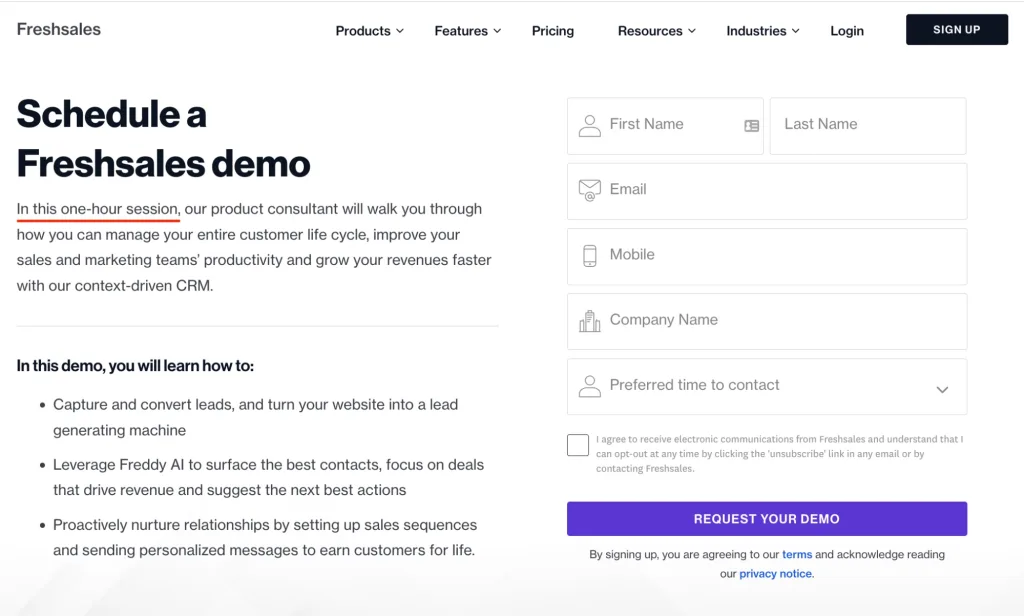
Freshsales conducts one-hour demo sessions because one simply cannot explore and understand the product’s capabilities in 30 minutes. And their lengthy duration most likely doesn’t negatively impact conversions because they’ve mentioned exactly why they need an hour.
Pro Tip: Be flexible with the length of your demo. Always keep 10-15 minutes after each demo session free so you can stretch the session if needed.
2. Choose the right software for your demo
You want your prospects to clearly see what you’re doing on your screen and hear what you’re saying. Moreover, you’d want to annotate or highlight things on the screen using arrows, rectangles, a highlighter or a virtual pen to showcase different aspects of your software.
Sometimes, you may even want to give prospects remote access to give them a first-hand experience of your product. The right demo software will enable you to do all of it effectively.
Below are a few popular tools used by leading companies for SaaS demos:
- AnyMeeting
- Surfly
- Livestorm
- Zoom
- Demodesk
- Walnut.io
Besides a demo screen sharing tool, you must also get proper supporting accessories: a good headset, HD camera, a microphone, high-speed internet, etc.
3. Make the demo engaging and interactive
A common mistake marketers make while giving product demos is they keep talking extensively, turning the demo into a boring lecture rather than an engaging experience.
In reality, however, you should focus on helping potential users understand how your SaaS will help solve their problems (and hopefully convert them.) And doing that effectively requires active participation from your prospects.
This participation comes from an engaging and interactive demo. Here are some things you can do to make your demo better:
- Ask questions, let them talk, pause to understand their viewpoint, and then respond accordingly.
- Give a walk-through experience or presentation of your product.
- Engage in reverse demos, i.e., give them access to your SaaS and see how they interact with it.
4. Have a demo video pre-recorded for certain scenarios
Some SaaS products have limited features and a clear value proposition for a specific market. Therefore, walking target customers through such products, and teaching them how to interact with the product and use its features effectively, doesn’t always require live demos.
Pre-recorded demos can also work well — if not better.
For example, check out this awesome demo video by Slack:
Slack also has a separate interactive demo website that helps interested people explore the product without having to jump on a call or sign up.
The main benefit of pre-recorded demos is that more potential customers are likely to see them than schedule a demo call. Moreover, you won’t have to spend time or money on giving one-on-one demos.
A disadvantage of public pre-recorded demos, however, is anyone can watch them and leave, never to be found. In other words, you won’t have any leads that you can nurture further and potentially convert.
There’s a workaround to this, though. You can make your pre-recorded demos private, and give access to only those people who register with their name and email address. For example, Salesforce asks its prospects to fill out a form to access their demo videos:
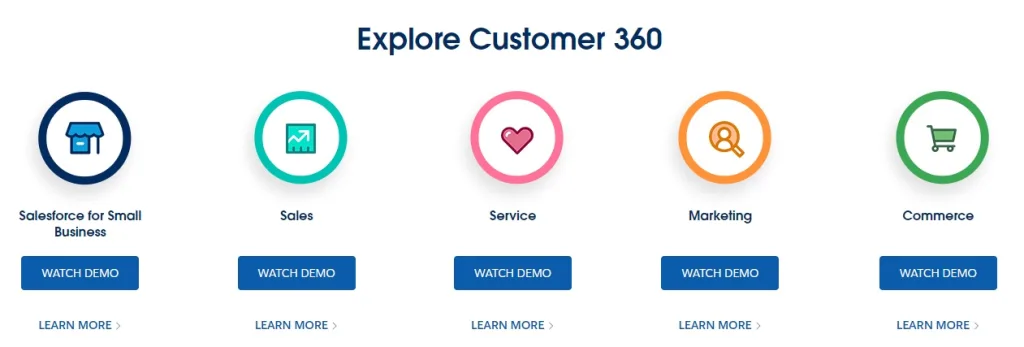
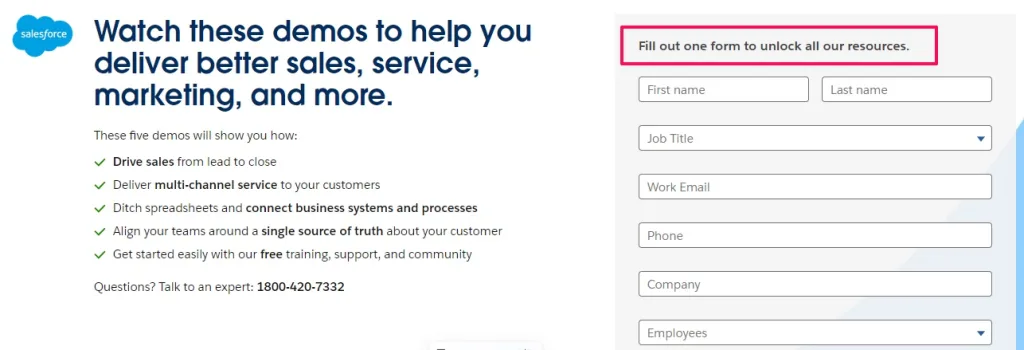
It’s a great way to generate leads and filter out uninterested people. However, putting such videos behind a registration form creates friction, which a significant number of people don’t like.
Overall, though, it’s up to you and your sales process to keep the pre-recorded demos public or private.
Pro Tip: Set up video tracking to keep an eye on the performance of your demo videos. Metrics like average watch time, conversion rate, and view-through rate will help measure the impact of these demos.
SaaS Demo Best Practices
Now you know how to create the best SaaS demo. Here are some additional best practices to make your SaaS demos stand out from others and drive impressive results.
1. Improve your speed to lead
Speed to lead is the time between a prospect requesting a demo and your sales rep’s first response.
Ideally, you want a suitable sales rep to follow up within 5 minutes. Studies show that responding in under five minutes is 21x more effective than following up after 30 minutes.
Here are a couple of things we recommend you do to have the near-ideal speed to lead:
- Set up marketing automation for proper lead routing: Route the information to the right team/rep based on the data the prospect submits in the demo form.
- Have a canned response ready: A canned message is a customizable, pre-written response to common questions that helps reps respond faster. For example, a typical response for a demo request includes a thank you note, the agenda of the demo, and a link to the agent’s calendar/scheduling automation tool (e.g. Calendly.)
The scheduling tool ensures both parties don’t plan anything else for that time slot. In addition, it reminds both about the demo at the right time (10 minutes or 30 minutes before the call, typically), which helps decrease the no-show rate.
2. Craft a compelling agenda
The prospect should know what to expect from the meeting and what you’ll cover.
Of course, they’ll have a general idea about it beforehand if you have an optimized landing page as Freshsales does.
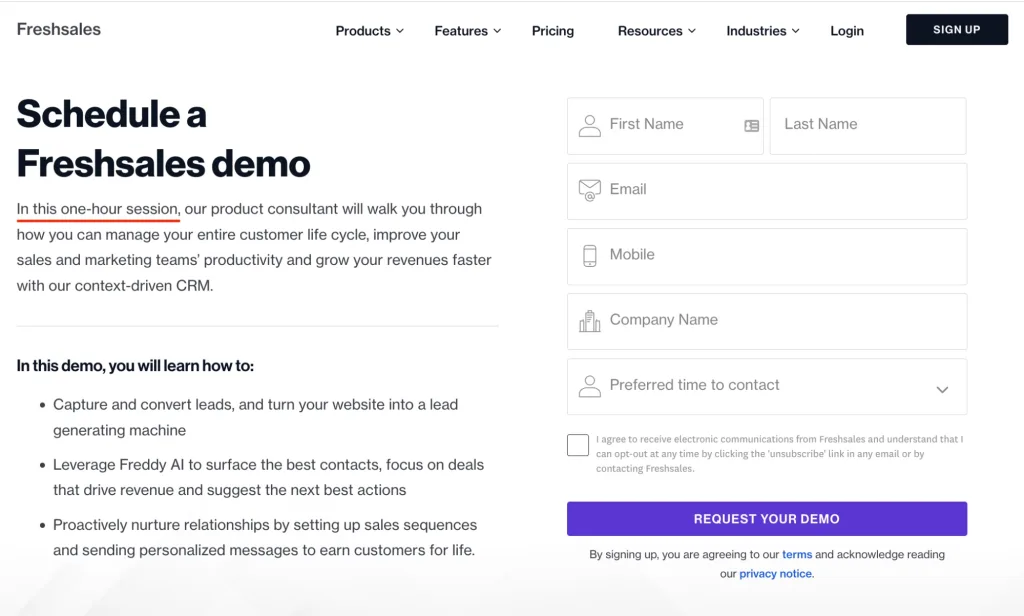
The tool mentions what’ll be discussed in the one-hour-long meeting right on the “Schedule Demo” page.
However, once you have some details about the prospect, you can and should make the agenda more specific according to their pain points and needs.
For example, if your SaaS solves multiple problems and the prospect’s problem is one of them, mention (in your follow-up) that the features related to that specific problem will be at the center of the conversation.
3. Research your audience and tailor your messaging
Subpar demo-givers illustrate the product’s value by showing off all the features and use-cases. But, in reality, the prospect doesn’t care about all the features. They have a specific problem(s) they think your SaaS can solve — and it’s your job to show them precisely that.
During the demo, show them — with specific, relevant examples — how your product will make them better at their job, save time, increase efficiency, reduce cost, etc. Give them tangible benefits of your product to convince them it’s worth investing in.
For impactful and tailored demos, you’ll need to research the prospect beforehand. Keep about five minutes before each meeting for that research — remember their name, know about their company through their ‘About Us’ page, and learn about their customers through testimonials or tools like BuiltWith.
4. Use case studies to illustrate value and provide social proof
Instead of saying “we can do this,” try saying “we did this for XYZ company and improved ABC by N%.” Quantifiable, tangible results are much more impactful.
Similarly, your customers praising your product instead of your sales rep doing so makes it more believable. Therefore, we recommend you illustrate your value through case studies and testimonials.
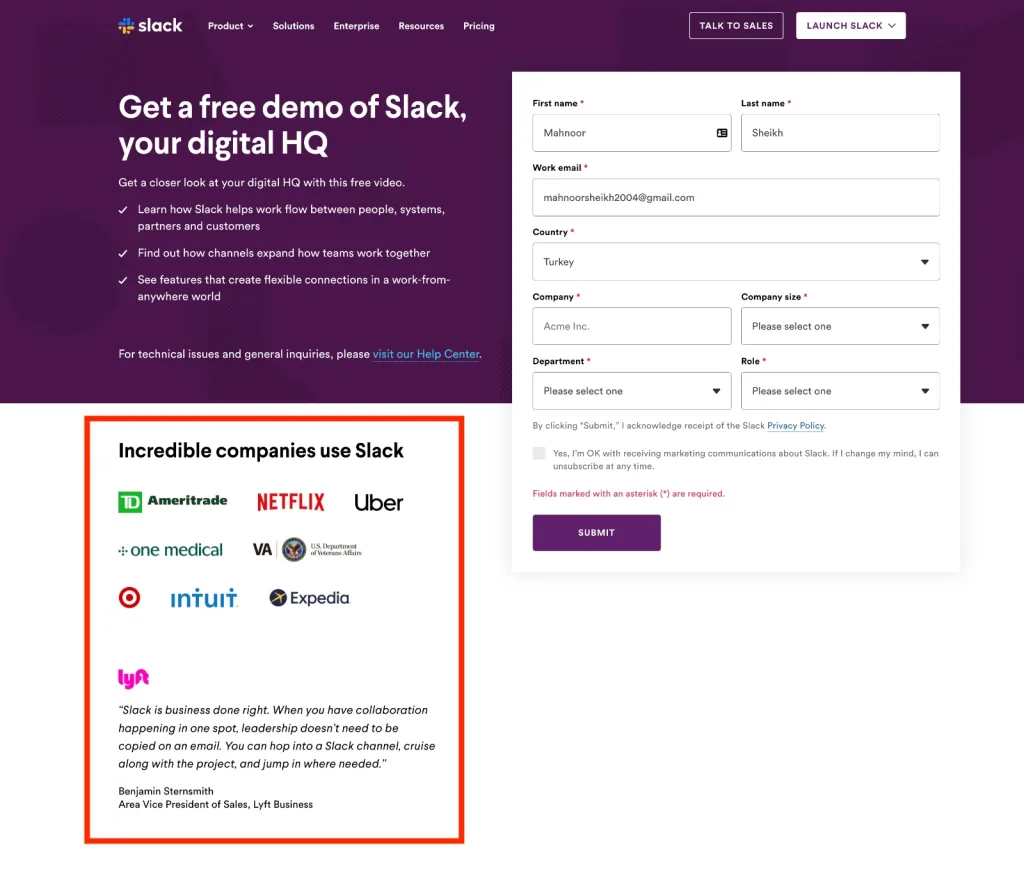
Showcase social proof on your demo landing page to increase landing page conversions. See how Slack does it with client logos and a testimonial:
5. Ask about the next steps to keep the conversation going
A pushy ask can ruin a great demo.
Of course, you are there to sell, but don’t insist prospects whip out their credit cards and sign up. Instead, ask how they liked the presentation and, more importantly, how they liked the product. If they didn’t like it, ask what they specifically didn’t like and how you can improve.
And based on their answer, craft your response to keep the conversation going. Here are some examples:
- “We’ll be in touch!”
- “We’ll notify you once our ABC feature is ready.”
- “Feel free to reschedule for another demo. I’ll send a new link in a bit.”
- “Hey, we see you haven’t logged in to your account for the past X months. We launched Feature A & B since we last talked — want to schedule another demo?”
Analyzing Demo Data for Improvement
Your last product demo is a stepping stone to improving your next one. Do these two things weekly, monthly, or quarterly to improve your demos:
1. Understand which meetings have the highest close rate.
Analyze your past demos, and find similarities in process, persona, and speed to lead that you can optimize for moving forward.
For example, let’s say a demo invite sent within two minutes of them requesting it has a higher acceptance rate than one sent after ten minutes. In that case, you should optimize for speed to lead.
2. A/B Test to always improve results
A/B testing is central to conversion rate optimization (CRO). For SaaS demos, here are some elements you can A/B test:
Test the number of minutes of the demo
Yes, 20-30 minutes is a sweet spot for most SaaS live demos, but it might not be for you. So, A/B test different demo lengths to find what works for your company.
For instance, if you feel your demos are too short, try increasing the meeting duration and see the effects on the landing page conversion rates and after-demo close rate. You may close more prospects despite having a lower landing page conversion rate.
Note: Unlike live demos, pre-recorded demos have a standard length. Most video demos are 3 minutes or less, but some webinar-style demos can also be 20-30 minutes long.
Test your landing page demo request form
The length, design, and even the placement of your form can impact conversion rates. See these examples.
Test the best days and times to hold demos:
The best days and times to hold demos vary depending on different factors related to your target audience (e.g demographics or industry.)
For example, if your SaaS business serves manufacturing plant owners, your A/B test may find they prefer activities like sitting through demos on Sunday because they’re free that day.
Case Studies and Real Examples
Most of the live demos’ magic happens during the demo — live!
However, for pre-recorded demos, here are some excellent examples to learn from:
Airtable – Team Collaboration SaaS
Airtable gives a quick tour of its product while displaying its features and USPs in this pre-recorded demo.
Wrapping Up
Creating an effective SaaS demo is one of the best ways to show prospects how your product works and how it can solve specific problems.
But product demos are just one piece of the puzzle that is SaaS marketing. If you’re looking to drive more sales-qualified leads and grow your SaaS business the right way, don’t hesitate to reach out and book an intro call with our experts.